forked from Archives/Athou_commafeed

112 lines
4.0 KiB
Markdown
112 lines
4.0 KiB
Markdown
# CommaFeed
|
|
|
|
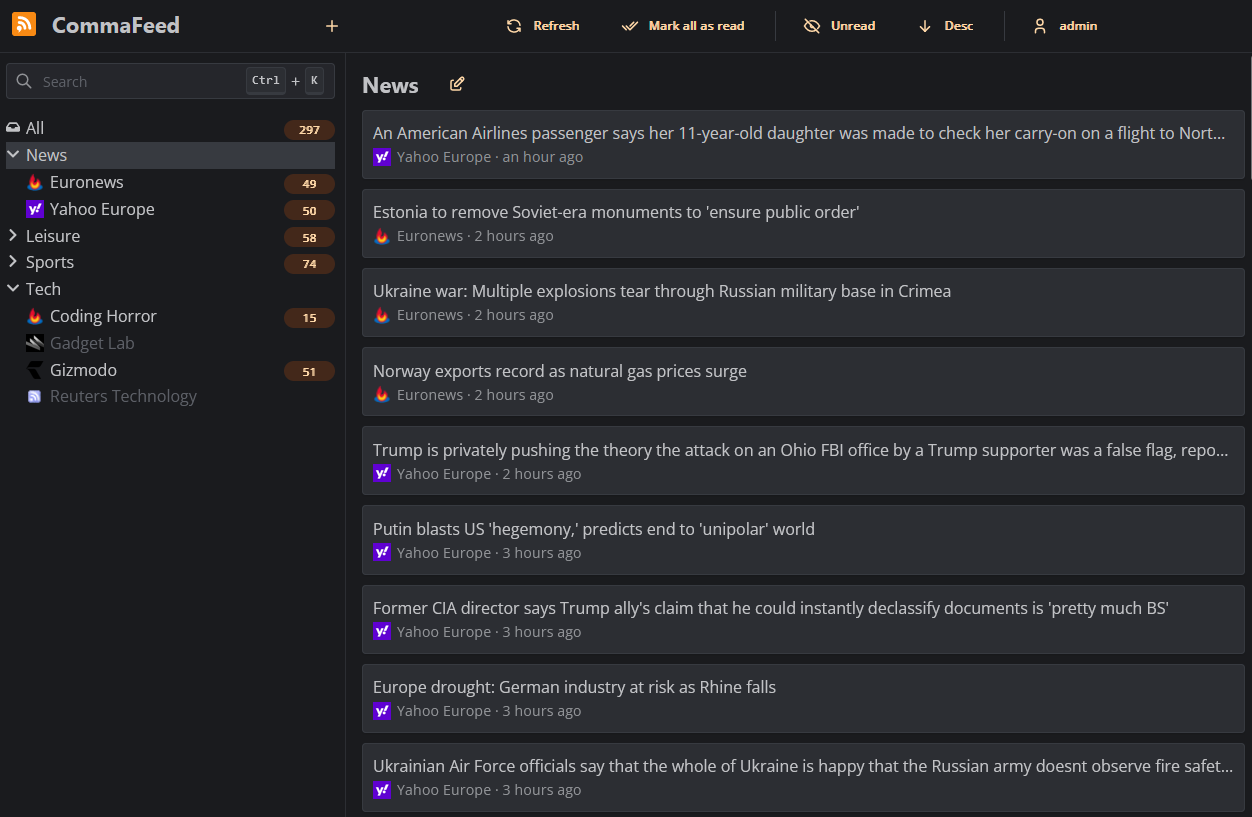
Google Reader inspired self-hosted RSS reader, based on Dropwizard and React/TypeScript.
|
|
|
|
|
|
|
|
## Features
|
|
|
|
- 4 different layouts
|
|
- Light/Dark theme
|
|
- Fully responsive
|
|
- Keyboard shortcuts for almost everything
|
|
- Support for right-to-left feeds
|
|
- Translated in 25+ languages
|
|
- Supports thousands of users and millions of feeds
|
|
- OPML import/export
|
|
- REST API and a Fever-compatible API for native mobile apps
|
|
- [Browser extension](https://github.com/Athou/commafeed-browser-extension)
|
|
|
|
## Deployment
|
|
|
|
### Docker
|
|
|
|
Docker is the easiest way to get started with CommaFeed.
|
|
|
|
Docker images are built automatically and are available at https://hub.docker.com/r/athou/commafeed
|
|
|
|
### Cloud hosting
|
|
|
|
[PikaPods](https://www.pikapods.com) offers 1-click cloud hosting solutions starting at $1/month with a free $5
|
|
welcome credit and officially supports CommaFeed.
|
|
PikaPods shares 20% of the revenue back to CommaFeed.
|
|
|
|
[](https://www.pikapods.com/pods?run=commafeed)
|
|
|
|
### Download precompiled package
|
|
|
|
mkdir commafeed && cd commafeed
|
|
wget https://github.com/Athou/commafeed/releases/latest/download/commafeed.jar
|
|
wget https://github.com/Athou/commafeed/releases/latest/download/config.yml.example -O config.yml
|
|
java -Djava.net.preferIPv4Stack=true -jar commafeed.jar server config.yml
|
|
|
|
The server will listen on http://localhost:8082. The default
|
|
user is `admin` and the default password is `admin`.
|
|
|
|
### Build from sources
|
|
|
|
git clone https://github.com/Athou/commafeed.git
|
|
cd commafeed
|
|
./mvnw clean package
|
|
cp commafeed-server/config.yml.example config.yml
|
|
java -Djava.net.preferIPv4Stack=true -jar commafeed-server/target/commafeed.jar server config.yml
|
|
|
|
The server will listen on http://localhost:8082. The default
|
|
user is `admin` and the default password is `admin`.
|
|
|
|
### Memory management
|
|
|
|
The Java Virtual Machine (JVM) is rather greedy by default and will not release unused memory to the
|
|
operating system. This is because acquiring memory from the operating system is a relatively expensive operation.
|
|
However, this can be problematic on systems with limited memory.
|
|
|
|
#### Hard limit
|
|
|
|
The JVM can be configured to use a maximum amount of memory with the `-Xmx` parameter.
|
|
For example, to limit the JVM to 256MB of memory, use `-Xmx256m`.
|
|
|
|
#### Dynamic sizing
|
|
|
|
The JVM can be configured to release unused memory to the operating system with the following parameters:
|
|
|
|
-Xms20m -XX:+UseG1GC -XX:-ShrinkHeapInSteps -XX:G1PeriodicGCInterval=10000 -XX:-G1PeriodicGCInvokesConcurrent -XX:MinHeapFreeRatio=5 -XX:MaxHeapFreeRatio=10
|
|
|
|
This is how the Docker image is configured.
|
|
See [here](https://docs.oracle.com/en/java/javase/17/gctuning/garbage-first-g1-garbage-collector1.html)
|
|
and [here](https://docs.oracle.com/en/java/javase/17/gctuning/factors-affecting-garbage-collection-performance.html) for
|
|
more
|
|
information.
|
|
|
|
## Translation
|
|
|
|
Files for internationalization are
|
|
located [here](https://github.com/Athou/commafeed/tree/master/commafeed-client/src/locales).
|
|
|
|
To add a new language:
|
|
|
|
- add the new locale to the `locales` array in:
|
|
- `commafeed-client/.linguirc`
|
|
- `commafeed-client/src/i18n.ts`
|
|
- run `npm run i18n:extract`
|
|
- add translations to the newly created `commafeed-client/src/locales/[locale]/messages.po` file
|
|
|
|
The name of the locale should be the
|
|
two-letters [ISO-639-1 language code](http://en.wikipedia.org/wiki/List_of_ISO_639-1_codes).
|
|
|
|
## Local development
|
|
|
|
### Backend
|
|
|
|
- Open `commafeed-server` in your preferred Java IDE.
|
|
- CommaFeed uses Lombok, you need the Lombok plugin for your IDE.
|
|
- Start `CommaFeedApplication.java` in debug mode with `server config.dev.yml` as arguments
|
|
|
|
### Frontend
|
|
|
|
- Open `commafeed-client` in your preferred JavaScript IDE.
|
|
- run `npm install`
|
|
- run `npm run dev`
|
|
|
|
The frontend server is now running at http://localhost:8082 and is proxying REST requests to the backend running on
|
|
port 8083
|