
CommaFeed
Google Reader inspired self-hosted RSS reader, based on Dropwizard and React/TypeScript.
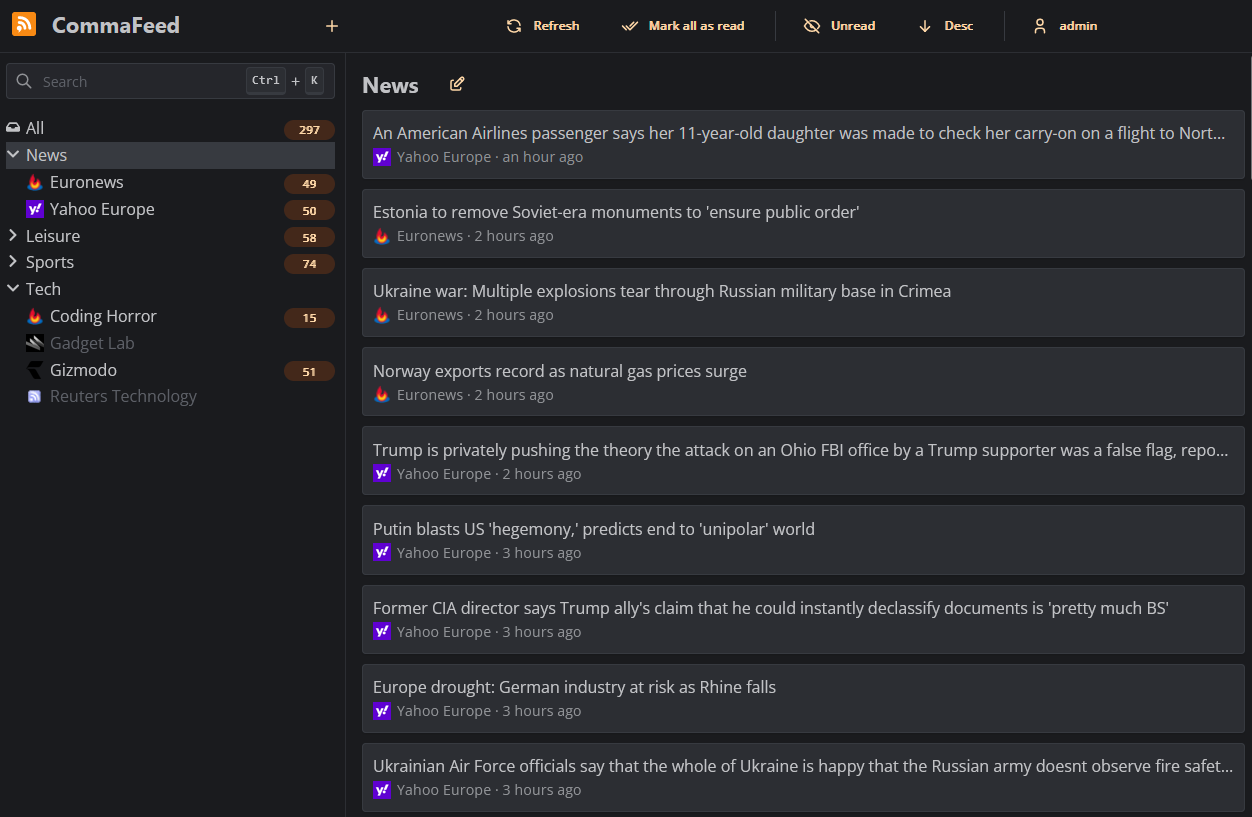
Features
- 4 different layouts
- Light/Dark theme
- Fully responsive
- Keyboard shortcuts for almost everything
- Support for right-to-left feeds
- Translated in 25+ languages
- Supports thousands of users and millions of feeds
- OPML import/export
- REST API and a Fever-compatible API for native mobile apps
- Browser extension
Deployment
Docker
Docker is the easiest way to get started with CommaFeed.
Docker images are built automatically and are available at https://hub.docker.com/r/athou/commafeed
Cloud hosting
PikaPods offers 1-click cloud hosting solutions starting at $1/month with a free $5 welcome credit and officially supports CommaFeed. PikaPods shares 20% of the revenue back to CommaFeed.

Download precompiled package
mkdir commafeed && cd commafeed
wget https://github.com/Athou/commafeed/releases/latest/download/commafeed.jar
wget https://github.com/Athou/commafeed/releases/latest/download/config.yml.example -O config.yml
java -Djava.net.preferIPv4Stack=true -jar commafeed.jar server config.yml
The server will listen on http://localhost:8082. The default
user is admin and the default password is admin.
Build from sources
git clone https://github.com/Athou/commafeed.git
cd commafeed
./mvnw clean package
cp commafeed-server/config.yml.example config.yml
java -Djava.net.preferIPv4Stack=true -jar commafeed-server/target/commafeed.jar server config.yml
The server will listen on http://localhost:8082. The default
user is admin and the default password is admin.
Translation
Files for internationalization are located here.
To add a new language:
- add the new locale to the
localesarray in:commafeed-client/.linguirccommafeed-client/src/i18n.ts
- run
npm run i18n:extract - add translations to the newly created
commafeed-client/src/locales/[locale]/messages.pofile
The name of the locale should be the two-letters ISO-639-1 language code.
Local development
Backend
- Open
commafeed-serverin your preferred Java IDE.- CommaFeed uses Lombok, you need the Lombok plugin for your IDE.
- Start
CommaFeedApplication.javain debug mode withserver config.dev.ymlas arguments
Frontend
- Open
commafeed-clientin your preferred JavaScript IDE. - run
npm install - run
npm run dev
The frontend server is now running at http://localhost:8082 and is proxying REST requests to the backend running on port 8083
Copyright and license
Copyright 2013-2023 CommaFeed.
Licensed under the Apache License, Version 2.0 (the "License"); you may not use this work except in compliance with the License. You may obtain a copy of the License in the LICENSE file, or at:
http://www.apache.org/licenses/LICENSE-2.0
Unless required by applicable law or agreed to in writing, software distributed under the License is distributed on an "AS IS" BASIS, WITHOUT WARRANTIES OR CONDITIONS OF ANY KIND, either express or implied. See the License for the specific language governing permissions and limitations under the License.